
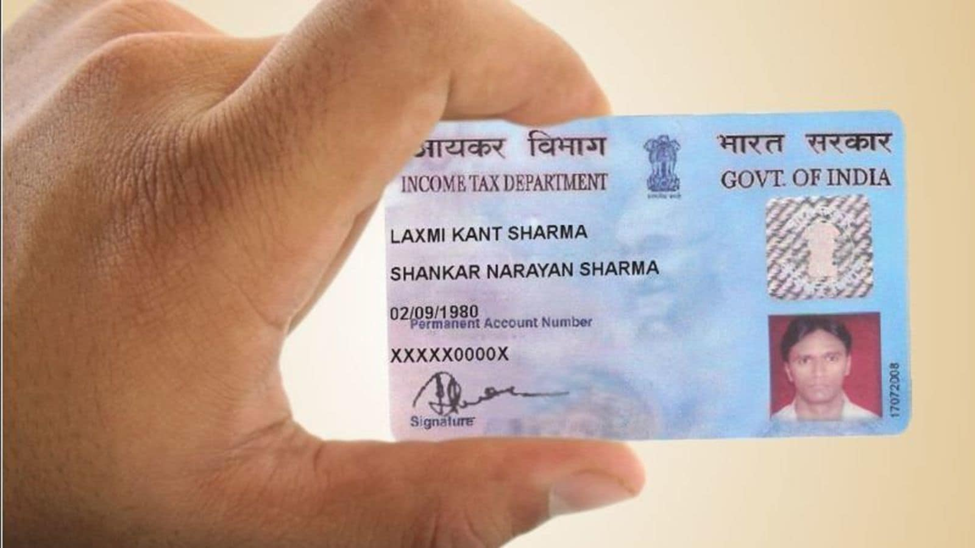
PAN is an indispensable tool for taxpayer identity verification. This unique ten-digit number is essential whether you want to file ITR, make high-value transactions on online marketplaces, or invest in the securities market. To integrate PAN with the digitised ecosystem, the Indian government allows you to apply for a PAN Card online.
As long as you have the following documents, you can complete your PAN Card application online:
- Identity proof
- Address proof
- Age proof
- Registration certificate (in case of HUFs, companies, and associations)
If you have the prerequisite documents, you can complete your PAN application online using one of the three modes outlined in this article.
Process of completing your PAN Card application online
There are three ways of applying for a PAN Card online. We’ve listed them below.
1. Through the e-filing portal
The IT Department’s e-filing portal streamlines the PAN application process by offering an instant e-PAN in 10 minutes. Here’s how you can apply for an e-PAN:
Step 1: Open the Income Tax Department’s e-filing website on your web browser.
Step 2: Look for the ‘Instant e-PAN’ option and click on it.
Step 3: Select ‘Get New e-PAN’.
Step 4: Enter your twelve-digit Aadhaar number and click ‘Continue’.
Step 5: On the OTP verification page, tick the terms and conditions box and click the ‘Continue’ button.
Step 6: Verify your action by inputting the OTP received on your registered mobile number.
Step 7: Check the UIDAI-based verification box allowing the e-filing portal to verify and fetch your details from the Aadhaar database. Click ‘Continue’.
Step 8: On the next page, you will see your personal details (as given on your Aadhaar Card) filled into the PAN Card application form. Select the ‘Validate Email’ option to verify your email ID and click ‘Continue’.
Step 9: Upon successful submission, you will receive an acknowledgement number and confirmation message.
2. Through the Protean (formerly NSDL) website
You can also apply for a new PAN Card using the Protean e-Gov Technologies Limited website. Here are the steps for the process:
Step 1: Head to the official Protean (formerly NSDL) website.
Step 2: Scroll to ‘Services’ and click on the ‘PAN’ option.
Step 3: Click on ‘Apply Now’ under the relevant form: ‘New PAN – Indian Citizen (From 49)’ or ‘New PAN – Foreign Citizen (Form 49AA)’.
Step 4: Specify your application type and category from the drop-down menu and complete the initial application form by inputting your name, DOB, email ID, and mobile number.
Step 5: Click ‘Submit’.
Step 6: You will see a ‘Continue With PAN Application Form’ option. Click on it.
Step 7: Select a preferred mode of document submission. You can choose from three options: physically forward your documents, complete digital submission through e-KYC and e-sign, or scan and upload the documents.
Step 8: Choose if you want a digital PAN or a physical copy as well.
Step 9: Enter your name, date of birth, contact, assessing officer code, and other details on the PAN application form. Click ‘Next’ to continue.
Step 10: Upload identity, address, and DOB proof documents (if you are submitting documents online) and submit the form.
Step 11: Go to the payments page to pay the PAN Card application fee. Wait until you receive a 15-digit acknowledgement number to confirm your application submission.
3. Through the UTIITSL website
If you wish to apply through the UTIITSL (UTI Technologies and Services Limited) website, follow these steps:
Step 1: Open the UTIITSL website on your browser.
Step 2: Under the ‘PAN Services’ tab, click on the ‘Apply for PAN’ option.
Step 3: Select the appropriate option: ‘PAN Card for Indian/NRI’ or ‘PAN Card for Foreign Citizen’ option.
Step 3: Click on the ‘Apply for PAN’ option under the relevant applicant type option (Form 49A for Indians and Form 49AA for foreign nationals).
Step 4: Select the ‘Physical Mode’ option if you want to submit a printed and signed application at the nearest UTIITSL office. Alternatively, select the ‘Digital Mode’ if you want to sign the form online using DSC mode or using Aadhaar-based e-signature.
Step 5: Select PAN mode (digital/physical), applicant status, and click Submit.
Step 6: Enter your name, DOB, gender, address, contact, and parent details.
Step 7: Upload your DOB, identity, and address proof documents and submit the form.
Step 8: Pay the application fee and collect your acknowledgement receipt.
Conclusion
Whether you want to avail of a loan from an NBFC or purchase shares, PAN details are mandatory. Applying for a PAN Card online is easy as long as you are aware of the process, input the right information, and have the requisite documents in place. While there are three ways to apply for a PAN online, the time taken by the three vary. It takes up to 15 days for PAN applications submitted via Protean and UTIITSL to be processed and verified. So, if you need a PAN Card faster, you should apply for one using the e-filing portal.