
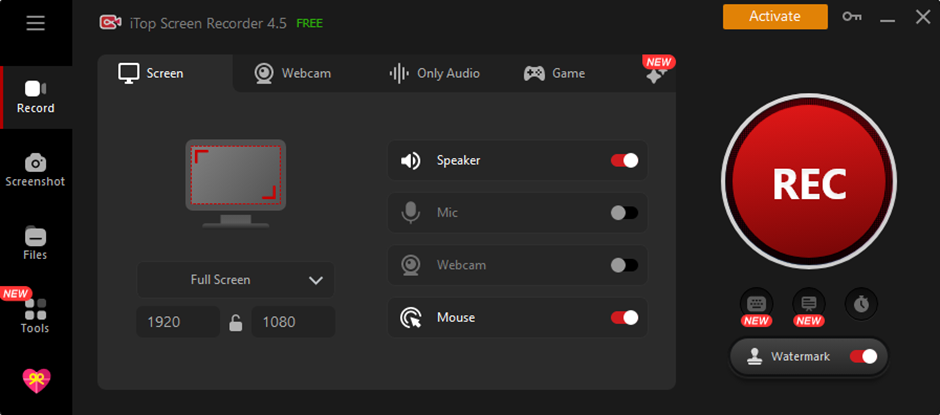
When it comes to free software that is designed to meet the needs of Windows PC users who want to record their screens, iTop Screen Recorder stands out. People can easily record any part of their screen, as well as audio and webcam sources, with iTop Screen Recorder’s easy-to-use layout and large feature set. iTop Screen Recorder gives you the tools you need to make your ideas come to life, whether you’re a teacher trying to make interesting lesson plans, a businessperson giving powerful talks, or a gamer wanting to share your favorite gameplay moments.
Key Features of iTop Screen Recorder
Flexible Recording Options
With iTop Screen Recorder, users can choose to record the whole screen or just certain areas of it, giving them full control over the information that is recorded.
High-Quality Recording
With 120 smooth frames per second and support for 4K and 1080p resolutions, iTop Screen Recorder makes sure that videos are not only beautiful to look at but also free of any flickering or dropped frames.
Advanced Editing Tools
You can easily make finished, professional-looking movies with the built-in advanced editor by adding comments, text layers, pictures, and other things.
Multiple Output Formats
It’s easy to share and work with different platforms and devices with iTop Screen Recorder because it lets users save their videos in a number of famous formats, such as MP4 and AVI.
How to Record Your Screen with iTop Screen Recorder
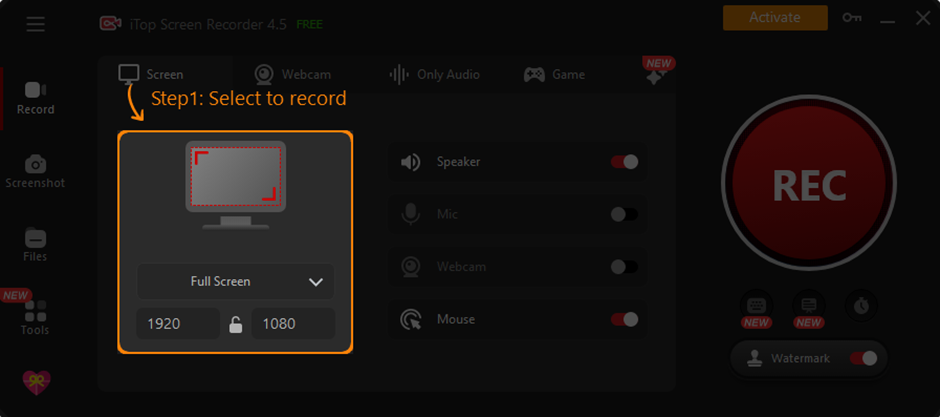
It’s easy to record your screen with iTop Screen Recorder because it has a simple layout and a streamlined method. Here is a step-by-step plan to help you begin:
Step 1: Set up Preferences
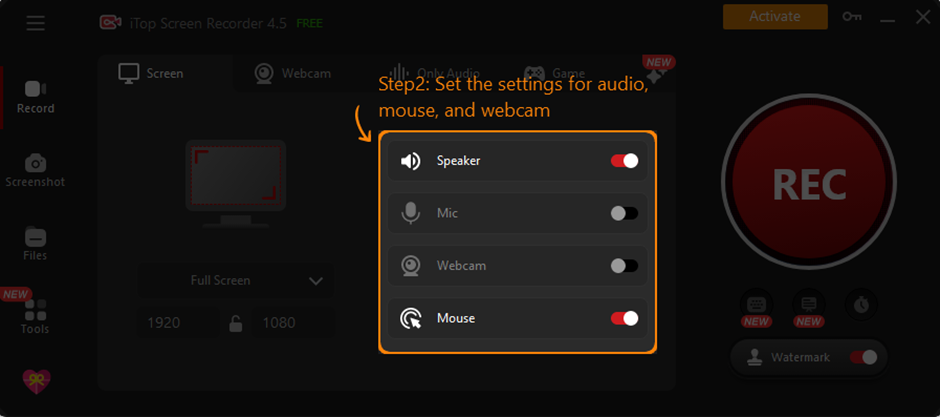
If you want to make the recording experience fit your needs, open iTop Screen Recorder and change the settings. Based on your needs and tastes, change options like the recording area, audio sources, and output format.
Step 2: Record the Screen
After you’ve set your settings, click the “Record” button to start the recording. The iTop Screen Recorder will record everything that’s going on your screen at the same time, so you won’t miss a thing.
Step 3: Save and Edit
When you’re done recording, iTop Screen Recorder lets you save the movie in any format and place you want. You can also fine-tune your recording with the built-in editor by making improvements, cutting footage, and adding effects to get the result you want.
Enhancing Your Screen Recording Experience
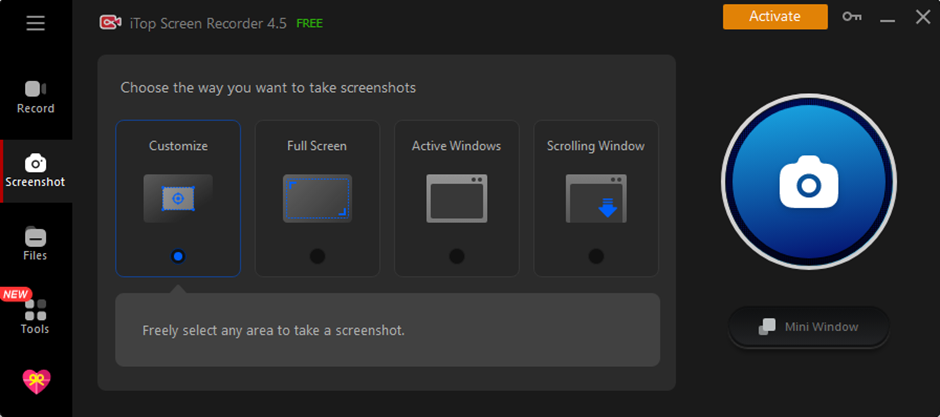
There are more features in iTop Screen Recorder than just the ability to catch your screen. These extra features will make your recording experience even better:
Annotation Tools
Enhance the clarity and effect of your recordings by using iTop Screen Recorder’s full set of annotation tools, which includes highlights, drawing tools, pointer magnifiers, and keystroke visualizers. With these tools, you can stress important details, draw attention to key information, and effectively connect with your audience.
Webcam Recording with Virtual Background
In addition to recording what’s happening on your screen, iTop Screen Recorder also lets you record from your webcam, so you can easily add camera footage to your recordings. Using virtual background effects to change your background lets you make movies that look professional, hold people’s attention, and get your point across clearly.
Exploring Advanced Features
This iTop Screen Recorder has many advanced tools that are made to meet the wants of users in many different areas:
Engaging Tutorial Videos
Use the comment tools and easy-to-use editing tools in iTop Screen Recorder to make engaging lesson movies that teach, motivate, and inform. With iTop Screen Recorder, you can offer material that connects with your audience and gets them involved, whether you’re teaching, showing how to do something, or sharing your expertise.
Step-by-Step Guide Videos
Producing step-by-step tutorial videos has never been easier than with iTop Screen Recorder. iTop Screen Recorder makes it easy to record procedure outlines, workflow demonstrations, and instructional walkthroughs. This lets you make content that is both helpful and practical, which helps users reach their goals more quickly.
Seamless Recording of YouTube Videos
The improved mode in iTop Screen Recorder makes it easy to record online videos from sites like YouTube, Netflix, Hulu, and Prime Video. By getting rid of black screens and making sure viewing runs smoothly, iTop Screen Recorder lets you record your best videos with unmatched clarity and accuracy, saving every detail for later use or sharing.
Maximizing Efficiency with Time-Saving
We’ll talk about a number of iTop Screen Recorder tools and tips that can help you get more done and save time.
Shortcut Keys and Hotkeys
Learn how to use shortcuts and hotkeys to get the most out of iTop Screen Recorder. These computer shortcuts make it easy to do common jobs quickly and without having to click the mouse or go through menus over and over again. Shortcut keys and hotkeys help you work faster and better by letting you do things like start and stop records, change settings, and get to editing tools.
Batch Processing and Bulk Export
A lot of recordings can be easily managed and exported at once with iTop Screen Recorder’s batch processing and mass export features. These features make it easier to process many recordings at once or send them in different forms for different uses. They speed up the workflow, saving you time and effort while keeping your projects organized and consistent.
Conclusion
iTop Screen Recorder stands out as the best screen recording software for Windows PC users. It has a wide range of features and functions to meet the needs of content makers, teachers, pros, and fans. iTop Screen Recorder gives you the tools, freedom, and dependability you need to confidently and accurately reach your goals, whether you want to make educational videos, give talks, share game highlights, or record online streams. You can find new ways to record your screen and use your imagination to entertain, teach, and inspire people all over the world by using its easy-to-use interface, large number of features, and advanced features.