
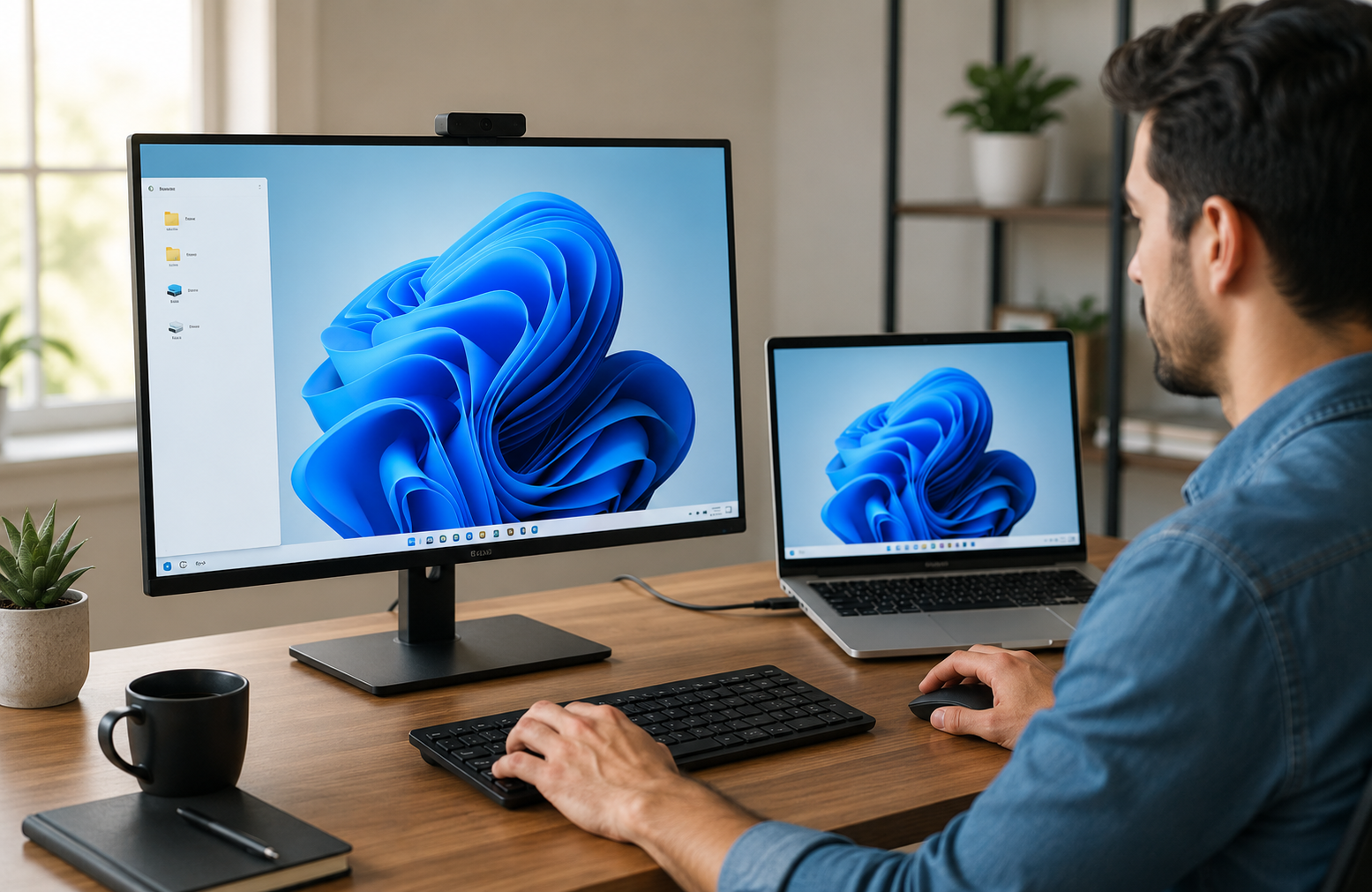
No single operating system really drives a household or an office any longer. Someone uses Windows on the laptop, someone prefers Mac and there is a server hidden somewhere in the closet probably runs Linux. Once it has to cross that sort of mixed environment rather than simply connect two machines running the same software, then remote desktop access is of much greater use and of much more complexity.
The problems are not fundamental, but they do exist, and being aware of their origins helps to illuminate why cross-platform remote access can sometimes feel smooth only on certain operating system combinations. Linking a pair of machines that are both running the same software has an easier task than linking two genuinely disparate operating systems each with its conventions for how a screen and keyboard, set of permissions behave.
Why This Matters With Differences in Operating System
Each operating system manages screen drawing, input devices and security permissions according to its own assumptions that does not always translate well with another system. A remote desktop connection must span that chasm, converting what is done on a host machine into something the connecting client can accurately display and interact with, regardless of which OS is running on either end.
To support reliable cross-platform remote desktop use across this sort of mixed environment, the underlying software needs to understand all sorts of quirks such as keyboard layouts and display scaling, and how each operating system deals with user permissions and security prompts. A connection that works perfectly fine between two Windows machines may act very differently the instant one side gets replaced by a Mac or a Linux distribution, simply because not all of the assumptions baked into each operating system are the same.
Using Windows as the Common Base Point
Windows is still by far the most widely used OS in office environments, meaning a lot more of that cross-platform remote access ends up connecting to something else on a Windows host. Windows has its native remote desktop that is baked right into the payload of the operating system making shrewd assumptions about Windows-specific properties potentially broadcasting like printer redirection and clipboard integration.
This native integration feels particularly seamless when the connecting client is also running Windows. This type of integration has to be re-implemented on the side that is connecting, or cannot be done at all, which is one of the most common source of feature differences users will notice comparing remote access in-between different OS combinations as soon as a client moves over to Mac or Linux. When a Windows printer is redirected in a session but the "client" side switches to an entirely different OS, it may have stored its destination settings automaticallythis might later require some manual configuration or even not at all.
Why Linux Actually Fits In
What makes Linux itself such an interesting position in this landscape is how vast and flexible its environment can be. Windows or Mac are each a pretty singular, relatively homogenized OS whereas Linux is an entire multitude of different distros with all kinds of default configurations, windowing systems, and graphical interface handling approaches.
In recent years tooling aimed at making running linux on windows a much simpler process - note here that entire operating systems build shoehorns into each other rather than just leaving cross platform users to their own devices. This same trend helps remote desktop tools, because improved underlying compatibility between operating systems typically makes for a higher-quality remote access solution on top.
The Role of the Operating System Itself
If you take a step back from remote access specifically, this is helpful to remember what an OS is really responsible for in the first place: tracking hardware resources and serving as a mediator between running programs; it provides the foundational layer that every application (a remote desktop client included) relies upon. Grasping these operating system core concepts clarifies why cross-platform remote access is inherently more complex than same-platform access, since the remote desktop software is not just transmitting a picture of a screen, it is bridging two genuinely different sets of underlying assumptions about how a computer should behave.
That is another reason that cross-platform remote access tools more commonly age well over time, than reaching a finished state in release. Even as operating systems themselves evolve and begin to rely on new security models, display technologies or input methods, the software in between also has to adjust to maintain that experience with any combination of OSes involved in each connection. A cross-platform remote access tool that handled connections well a few years ago might require substantive updates simply to keep up with changes neither OS vendor coordinated with each other.
What This Means in Practice
The practical takeaway, therefore, for anyone who either chooses or happens to be using a cross-platform remote desktop setup is not all OS combinations are going to act like each other all the time even if your set up at both ends is identical when it comes to the actual remote access software being used. And, a Windows-to-Windows connection might offer conveniences that would be missing with a Windows-to-Linux connection not that there's an aspect of incompetently-built software in all cases, but there may be authentic differences between the two operating systems regarding how certain functions are rendered.
All of this makes cross-platform remote access vulnerable or impractical. Which just means: knowing these operating systems, not expecting that all combinations act identically, can set more realistic expectations about what a given remote desktop setup can and cannot accomplish without making the user's life difficult. A cross-platform connection is initially set up, and while a developer may be tempted to use an operating system pairing they already have tried, the better course for someone setting this up for the first time then trying other combinations is getting help with it because that combination hasn't been tested yet.
Bringing the Platforms Together
Remote desktop access across Windows, Mac, and Linux is possible because the software bridging those systems has matured quite a lot, but the fundamental differences between operating systems never entirely go away. They fade into the background when a bridging software does well with them. It is more realistic, and ultimately a much more satisfying cross-platform remote access experience if you accept that those differences exist instead of expecting each and every platform combination to perform identically.
Frequently Asked Questions
Does a remote desktop connection between two dissimilar operating systems need to follow the same structure?
Not entirely. The basic principle of showing and controlling a remote screen is the same, but some unique elements like clipboard sharing or printer redirection can work differently depending on which OS pairs up for each end.
Why does Linux sometimes behave differently in cross-platform remote access?
There are many distributions of Linux out there, each with different default configurations, so remote access behavior can be more variable than in the much more standardized environments such as Windows or Mac.
Does cross-platform remote access present more security challenges than connecting between two of the same OS?
Not inherently. Security is mainly determined by the encryption and authentication of the remote access software, which are usually independent of the operating systems used in a connection.



Leave a Comment